



Go to Mac platform Display platforms icon
Go to Mac platform Go to Windows platform Go to Android platform Go to iOS platform
Craft icon

Craft

3.7.1
0 0 reviews
109 downloads
security security

Edit documents and organize ideas in a simple way

Advertisement
Remove ads and more with Turbo
Advertisement
Remove ads and more with Turbo
Carlos Martínez icon
Reviewed by
Carlos Martínez
Content Team Lead
Carlos Martínez is part of Uptodown's in-house Editorial Team. Translated by Uptodown Localization Team

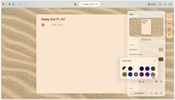
Craft is a productivity app designed to help you take notes, as well as write, organize, and manage your ideas through a visually attractive interface. Unlike other knowledge management tools that are more complicated to use, this tool provides you with a block-based structure that's perfect for building documents, personal wikis, and work calendars with flexibility on Mac. If you've used apps like Notion or Obsidian, here you will find an ideal middle ground that combines the power of multi-level hierarchy with the ease of use and polished aesthetic typical of native Apple apps.

An architecture optimized for workflows on Mac

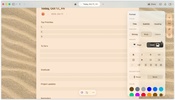
With a focus on blocks, pages, and documents, Craft makes each paragraph or section you add to your projects function as an independent section that you can reorganize, transform into a nested page, or convert into a visual card. This hierarchy helps you delve into your notes without losing track and makes it easier to create complex documents that, instead of looking like endless lists of text, take the form of a private website or a well-organized archive. Furthermore, thanks to aspects such as integrated AI features, task management, and effective synchronization with external tools like Claude, this app provides you with everything you need from an all-purpose app for day-to-day tasks.

Advertisement
Remove ads and more with Turbo

The best and worst of Craft for Mac

• What I liked the most: its visual aesthetics and its performance when adding blocks and interconnected elements. The ability to organize content using nested blocks was very intuitive. Likewise, the table of contents mode made navigating long documents much easier.

• What could be improved: although the free version allows you to use many features at no cost, some advanced customization and real-time collaboration functions are reserved for paid plans.

Download the Craft app for Mac and start transforming the way you organize all kinds of personal and professional information. If you need to draft structured documents, keep track of daily tasks, or simply create your own wiki, this tool will learn how you think and help you organize all of your ideas.

Craft is for you if

✓ You want a block-based workspace to capture, reorganize, and expand notes into documents and wikis
✓ You prefer a clean, native Mac interface that keeps multi-level knowledge hierarchies easy to navigate
✓ You need integrated AI, tasks, and external sync to streamline and centralize your daily workflow

Information about Craft 3.7.1

Basic information

Developer Craft Docs Limited, Inc.
Category Text & documents
Rating All ages
Languages English

Distribution model

Pricing Free
License Proprietary
Copyright © 2026 Craft Docs Limited, Inc.
Why is this app published on Uptodown? (More information)

Security and privacy

Required permissions Not applicable
See security and antivirus report

Download info

Downloads 109
Date Oct 27, 2026
File type DMG
Size 139.56 MB
SHA256 e7794a18b6556caf01a64402b092e22bb11a744413c3f5179d6a319ee1456293
Advertisement
Remove ads and more with Turbo

Older versions

See more
dmg 3.6.8 Sep 21, 2026
dmg 3.6.5 Sep 17, 2026
dmg 3.6.2 Sep 14, 2026
dmg 3.6.0 Sep 7, 2026
dmg 3.5.7 Aug 31, 2026
dmg 3.5.5 Aug 26, 2026
Available for other platforms

Rate this App

Review the app
Craft icon

Comments

There are no opinions about Craft yet. Be the first! Comment

Advertisement
Remove ads and more with Turbo
Microsoft Office 2019 icon
Install Word, Excel and PowerPoint with Office 2019
Microsoft Office 365 icon
Microsoft Office suite for Mac
LibreOffice icon
One of the best alternatives to Microsoft Office
Kindle icon
Read Amazon Kindle books on your Mac
Adobe Acrobat Reader DC icon
The most popular PDF reader out there
PDFgear icon
Free PDF Software for Everything
WPS Office icon
Free all-in-one office suite for Mac
Obsidian icon
Take notes with multiple options on Mac
Claude icon
Anthropic's AI assistant for macOS
ChatGPT icon
The official app of OpenAI's popular chatbot for Mac
Google Gemini icon
Enjoy Google's AI on your Mac with the official app
Obsidian icon
Take notes with multiple options on Mac
Raycast icon
Boost your productivity with this Mac launcher
Dia Browser icon
Browse and work with AI
Lightning Assist icon
Write twice as fast by automating templates and texts with AI
Writing Tools icon
A number of very useful AI tools for writing
OpenCore Legacy Patcher icon
Install recent versions of macOS on your old Mac
balenaEtcher icon
Create self-booting external disks on Mac
Microsoft Office 2019 icon
Install Word, Excel and PowerPoint with Office 2019
CleanMyMac icon
Keep your computer in good shape
CrossOver icon
Run Windows apps and games on Mac
Microsoft Office 365 icon
Microsoft Office suite for Mac
Logitech G HUB icon
Customize your Logitech devices
VMWare Fusion Pro icon
Virtualize different operating systems on your Mac